
What Is Braille?
- What is braille?
- Is braille a language?
- Who uses braille?
- How braille works
- Contracted and uncontracted braille
- How is braille written and produced?
- Paper and electronic braille
- Who invented braille?
- Does braille still matter?
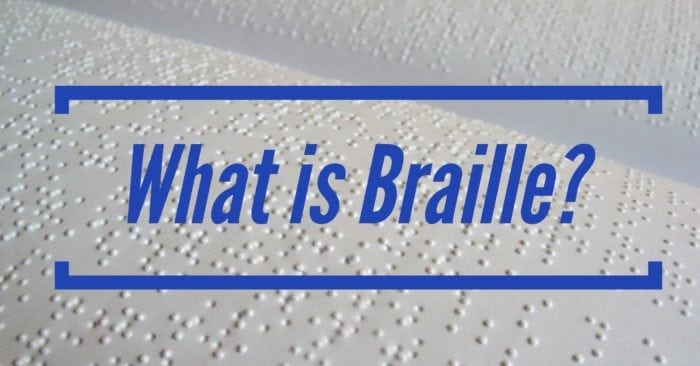
Braille is a tactile reading and writing system that uses raised dots to represent letters, numbers, punctuation, and other symbols. People read it by moving their fingertips across the dots.
It is one of the most recognizable accessible formats, and may also be one of the most misunderstood.
Braille can appear on paper, signs, packaging, elevator buttons, and refreshable braille displays connected to computers and mobile devices.
Is Braille a Language?
Braille represents written language through touch, but it is not a language itself.
Braille codes differ by language. Someone who reads English braille would not automatically understand braille written in another language. Languages can use different symbols, contractions, and rules.
English-speaking countries once used several versions of English braille. Today, many use Unified English Braille (UEB), which provides a more consistent English braille code across countries.
Related: Braille Is Not a Language. Here’s What That Means for You.
Who Uses Braille?
Braille’s primary users are people who are blind, DeafBlind, or have low vision. Some readers have no usable vision. Others have some sight but find braille easier or more reliable for certain tasks.
Not every blind person reads braille, and the right accessible format depends on the individual. A person may use braille for some information and audio, large print, or a screen reader for other information.
Braille allows people to read at their own pace, quietly and privately. Many of us wouldn’t want a bank statement, medical letter, or personal message read aloud where others could hear it. Braille provides that privacy along with direct access to spelling, punctuation, and document structure.
People with sight use braille too. Teachers, family members, accessibility professionals, transcribers, and proofreaders may learn to read it visually or by touch.
Did you know? Braille literacy is still important. Here’s why.
How Braille Works
Six possible dot positions make up a standard braille character, called a braille cell. The cell has two columns with three dots in each column. A dot or combination of dots may be raised within the cell.
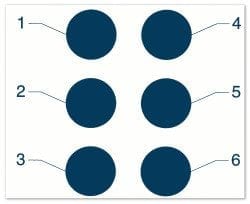
The dots have numbers. Starting in the upper-left corner and moving down, the first column contains dots 1, 2, and 3. The right column contains dots 4, 5, and 6.
A six-dot cell can form 64 patterns when the blank cell is included. Because that is not enough to represent every letter, number, punctuation mark, formatting change, and special symbol, braille uses indicators and sequences of cells.
Braille does not look like raised print letters. It uses consistent patterns designed for the fingertips. Dot height, cell size, and spacing must remain uniform so readers can distinguish one cell from another.
Cells come together to form words and sentences. Braille can appear as rows of raised dots on paper or electronically on a refreshable braille display.
Braille Indicators
Indicators tell the reader how to understand the cells that follow. For example, a capital indicator before a letter tells the reader that a letter is uppercase. A numeric indicator tells the reader to interpret the following letter patterns as numbers.
Braille also has ways to show emphasis and other information that readers receive visually in print. The exact indicator and its effect depend on the braille code and context.
Grade 1 (Uncontracted) Braille
In uncontracted braille, words are generally written one letter at a time rather than shortened with contractions.
People often encounter uncontracted braille while learning the code. It may also be useful for names, labels, or other text where spelling out each letter supports clarity.
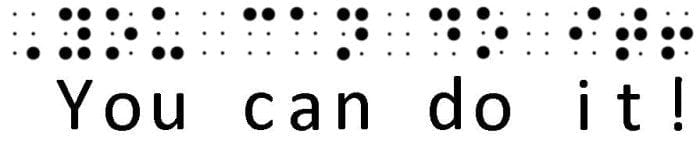
The Braille Authority of North America recommends the terms uncontracted braille and contracted braille instead of Grade 1 and Grade 2. The older terms remain common, so you may still see both.
Grade 2 (Contracted) Braille
Contracted braille uses contractions that replace common words or groups of letters with shorter braille forms. For example, the word “the” can be represented by a single braille cell.
Contractions help save space. A braille cell is much larger than a printed letter, so one page of print can become several pages of braille. Contractions help reduce the size of a document and support faster reading for people who know them.
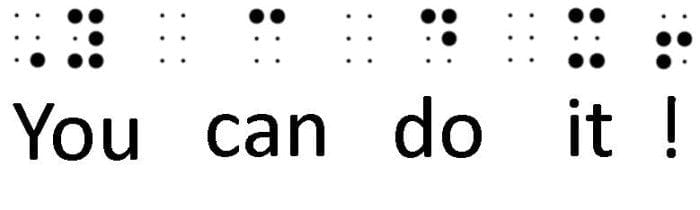
Contracted braille is common in books and many other longer documents. Whether a document should use contracted or uncontracted braille depends on its purpose and the reader’s needs.
What Bbout Grade 3 Braille?
The term Grade 3 braille usually refers to personal shorthand. It can shorten words even further, but it does not have one standardized form. For that reason, it is not used for most published or official documents.
The Braille Alphabet
In English braille, the first ten letter patterns can also represent the numbers 1 through 9 and 0. The numeric indicator described above tells the reader when to read them as numbers.
Specialized braille notation is also available for mathematics, science, music, and computer-related content. These subjects may use additional rules and symbols beyond literary braille.
See the complete braille alphabet for examples of letters, numbers, punctuation, and indicators.
How is Braille Written and Produced?
People can write braille by hand with a slate and stylus, use a braillewriter, type with an electronic device, or produce documents with a braille embosser.
Braille Transcription and Translation
Braille transcription is the process of converting print content into braille and formatting it for braille readers. People also use the phrase braille translation, especially when referring to software that converts text into braille code.
Software can convert text into braille code. A transcriber still needs to apply the correct code, preserve the meaning, and format headings, lists, tables, emphasis, and page references for braille readers. A qualified proofreader can then check the finished document for accuracy and usability.
Related: Saving Time, Saving Money: “Can we buy a braille printer and just do this in-house?”
Paper and Electronic Braille
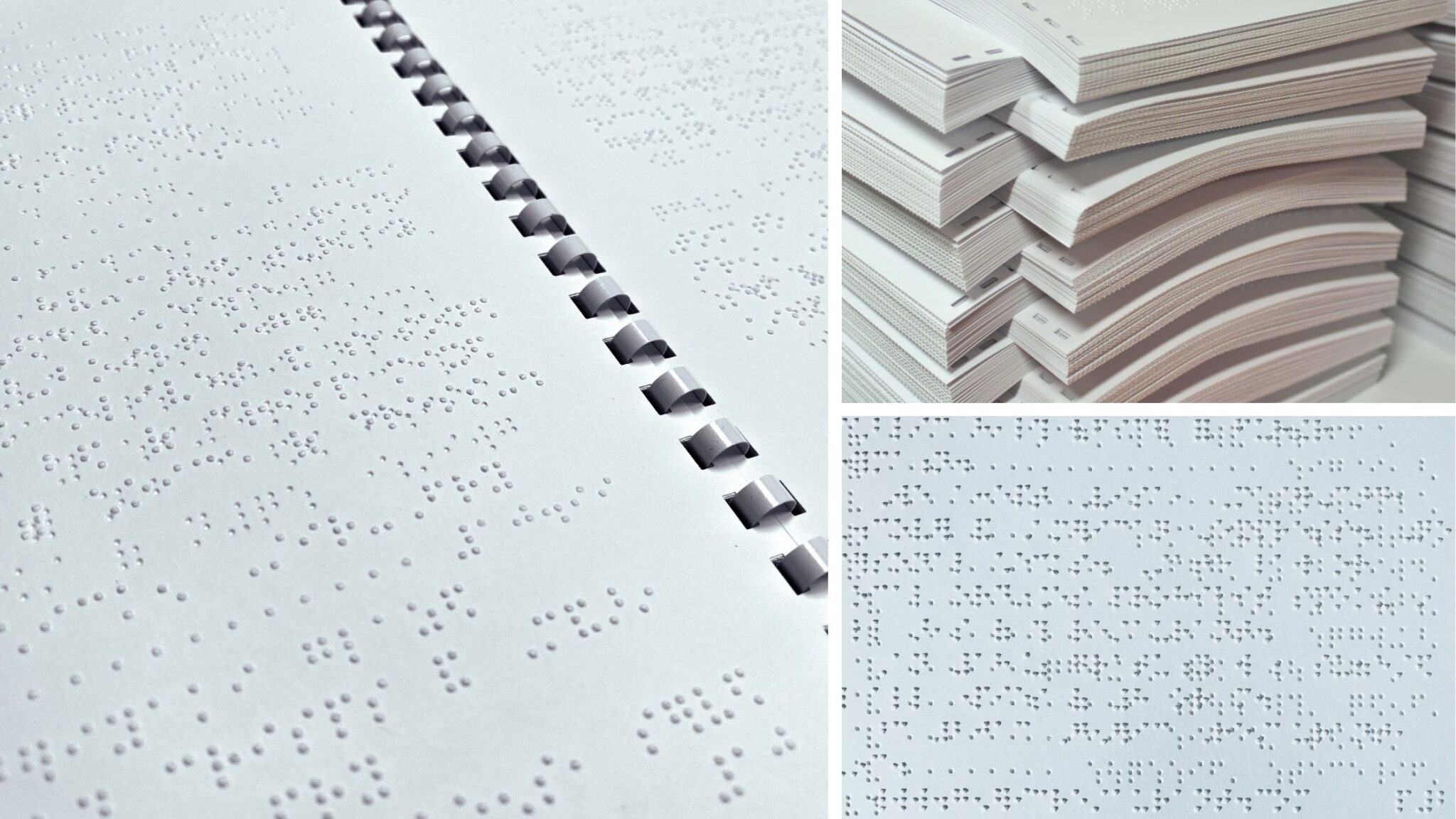
Paper braille is embossed and gives the reader a physical document with permanent raised dots. It does not require power, software, or a connected device.
Braille paper is thicker than standard printer paper, which helps the embossed dots remain firm through repeated handling.
Electronic braille appears on a refreshable braille display. These devices use small pins that move up and down to form braille cells. Many connect to computers, tablets, or phones through USB or Bluetooth. Some devices also work on their own and may include tools for reading, writing, and storing files.
Refreshable braille displays depend on accessible digital content. A poorly structured website or document may present information in the wrong order, omit useful labels, or make navigation difficult. The display can only communicate the information the software can identify.
Learn more about choosing between paper and electronic braille.
Who Invented Braille?
Louis Braille developed the reading and writing system named after him. He drew inspiration from a raised-dot system created by Charles Barbier, a former French army captain.
Barbier’s system used a 12-dot cell. Louis Braille simplified it into a six-dot cell that fit beneath a fingertip. He presented an early version of his system in 1824, when he was 15, and published it in 1829. He continued refining it in the years that followed.
Related: History of Braille
Common Misconceptions About Braille
Tactile graphics
Tactile graphics communicate visual information through raised lines, textures, shapes, symbols, and spatial layout. They may include maps, charts, diagrams, floor plans, illustrations, and other materials readers explore by touch.
They are not “tactile braille.” Braille is a six-dot code that represents written language. A tactile graphic conveys shape, location, scale, relationships, and other visual concepts that braille alone cannot communicate. A tactile graphic may include braille labels or a braille key, but those labels do not make the graphic itself braille.
The distinction matters when organizations request accessible formats. Tactile graphics often require design decisions, testing, and production methods that go beyond braille transcription.
ASL
People sometimes compare braille with American Sign Language (ASL), but they serve different purposes. American Sign Language is a complete visual language designed for people who have hearing loss of one degree or another. Braille is a code used to read and write a language. It is not universal; different languages use their own braille systems. If someone is DeafBlind, they use a tactile form of sign language, such as Pro-tactile ASL.
Does Braille Still Matter?
Braille remains important anywhere a person needs to read independently without relying on audio. It appears in books and personal documents, on signs and packaging, and on controls such as elevator buttons.
Many people use braille alongside audio or a screen reader. Their preferred format may change depending on what they are reading.
Poorly produced braille can be as inaccessible as no braille at all. Weak dots, poor spacing, missing information, or confusing formatting can make a document difficult or impossible to use.
Related: Why quality braille matters
Need Professionally Produced Braille Documents?
Accurate characters are only one part of usable braille. Readers also depend on consistent dots, clear headings, useful page numbers, and formatting that makes information easy to find.
You deserve an accessibility partner who understands what makes braille truly readable.